

Quick answer: TENS can cause skin irritation and uncomfortable stimulation, and incorrect use can cause burns. A normal tingling sensation should not be painful. Switch the unit off and remove the pads if you develop burning, itching, a rash or worsening discomfort. Persistent or severe symptoms need medical advice; do not keep raising the intensity or continue over affected skin.
This guide helps you decide what to do when a session feels wrong. It is different from our guide to who should avoid TENS, which covers suitability before use, and our skin irritation guide, which looks more closely at electrode-related skin problems.
What should TENS feel like?
For ordinary sensory-level TENS, aim for a noticeable, comfortable tingling feeling. The NHS TENS guidance says the sensation should not be painful and advises switching off and removing electrodes if skin becomes itchy, irritated or red.
The word “electrical” can make any unfamiliar sensation seem alarming, while “drug-free” can make a device seem risk-free. Neither assumption helps you judge a session. Pay attention to comfort, skin condition and the intended mode instead of trying to tolerate a sensation because the screen shows a low number.
A muscle-stimulation mode may deliberately produce contractions, which is a different goal from conventional sensory TENS. If you did not expect muscle movement, stop and check the selected mode and instructions before continuing. A mode name cannot establish whether a particular response is safe for you.
| What you notice | What to do | What to avoid |
|---|---|---|
| Comfortable tingling with no skin changes | Follow the manual and keep monitoring comfort | Chasing the highest intensity |
| Itching, redness or a rash | Switch off, remove pads and let the skin recover; seek advice if persistent or recurrent | Placing another pad on irritated skin |
| Burning, sharp stinging or a hot spot | Stop immediately and inspect the skin and equipment | Continuing to see whether the feeling settles |
| A blister, suspected burn or broken skin | Stop and obtain prompt medical assessment | Covering the injury with an electrode and restarting |
| Unexpected painful contractions or increased pain | Stop; review the mode and seek clinical advice if symptoms persist | Assuming pain means a more effective session |
| A faulty lead, damaged pad or unstable output | Take the equipment out of use and contact support | Taping exposed wires or testing damaged parts on your body |
Can TENS cause a burn or skin reaction?
Skin reactions and electrode burns are recognized possibilities, although a symptom table cannot establish how likely they are for an individual. Leeds Teaching Hospitals lists both as cautions. We do not have a verified adverse-event rate for the 9026, so this article does not assign a percentage or label a particular reaction “common.”
Poor electrode contact, unsuitable placement and inappropriate stimulation can make a session uncomfortable. The Royal National Orthopaedic Hospital warns that excessive current, unsuitable positioning or prolonged use without breaks can cause skin injury. See its TENS patient guide. These are reasons to use the instructions carefully, not reasons to diagnose every rash as an electrical burn.
Likewise, a photo of a red patch cannot confirm adhesive allergy. The shape of the mark, its persistence and any pain or blistering are useful information for a healthcare professional, but they are not a home diagnostic test. Do not buy an electrode described as “hypoallergenic” and assume it solves every reaction.

When should you seek medical help?
Obtain prompt medical assessment for a suspected burn, blistering or significant skin damage. If discomfort or a rash persists after stopping, or keeps returning with sessions, ask a healthcare professional before restarting. Keep the affected area free of electrodes while it is irritated or injured.
For an electrical burn, the NHS advises emergency assessment. Do not let equipment troubleshooting delay appropriate care.
Chest pain, difficulty breathing, fainting or sudden neurological symptoms need urgent medical attention whether or not a TENS unit was in use. Stop the device and contact local emergency services for severe or sudden symptoms. Do not assume an unexplained symptom is a harmless side effect, or that TENS caused it merely because it occurred during a session.
What information should you record before contacting support?
After attending to any medical concern, a short factual record helps distinguish a product question from a question requiring clinical review. Avoid repeatedly reproducing the problem to create a better demonstration.
- Device: exact model and the selected mode, rather than only “TENS machine.”
- Settings: intensity on each active channel and the approximate session duration.
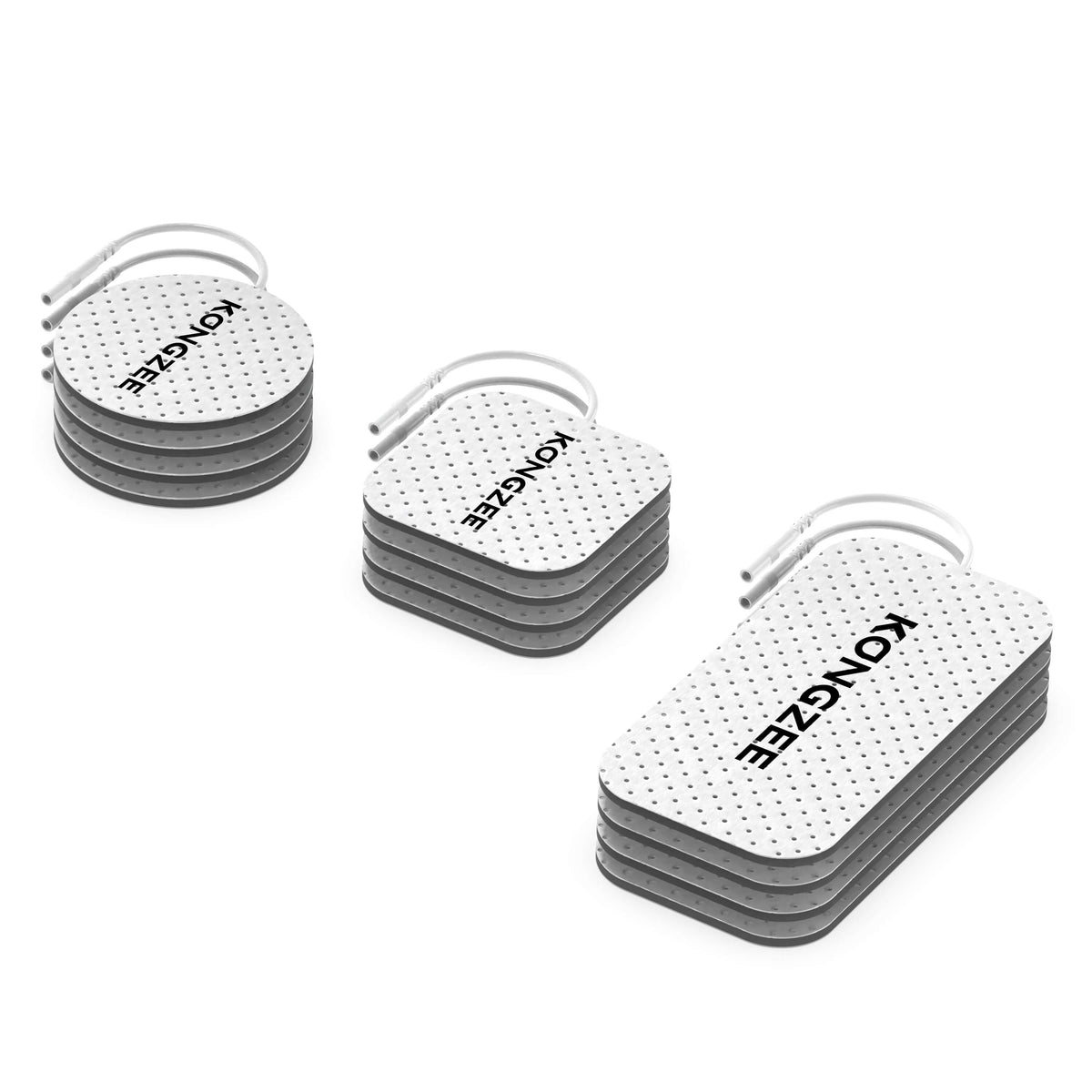
- Setup: pad type, approximate age, whether edges were lifting and whether leads looked intact.
- Response: what you felt, when it began and whether it continued after switching off.
- Skin: any visible change, recorded privately if appropriate. Share only information needed to address the issue.
For example, “9026, TENS selected, discomfort under one lifting pad after a few minutes, stopped immediately” gives support a useful starting point. This is an illustrative report format, not a real customer case or a diagnosis. A clinician should assess the physical reaction; support can check accessories and operating instructions.

What should KONGZEE 9026 owners check?
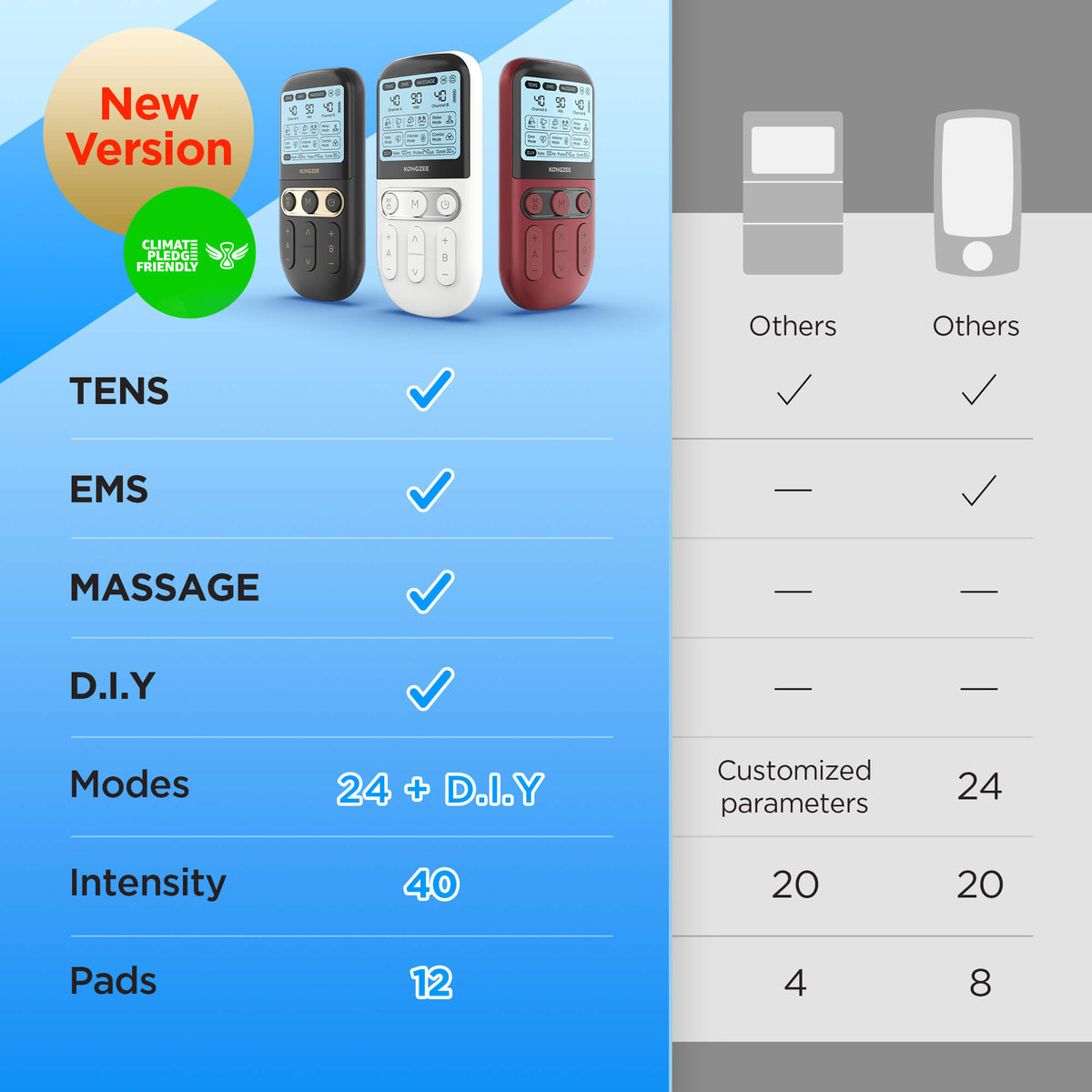
The 9026 has TENS, EMS, Massage and DIY modes, independent A/B intensity and 40 intensity levels. Record which channel and mode were active. “Level 10,” for example, is not a universal dose that can be compared directly with another person’s settings or a different device.
Use the 9026 manual and support page to confirm setup. The settings guide explains control labels, while the troubleshooting guide addresses equipment that is not operating correctly. Neither replaces assessment of a physical injury.
More modes or replacement pads are not a solution to an unresolved reaction. If symptoms have stopped and the skin is healthy, only consider restarting in line with the device instructions and any professional advice you received. Begin a permitted setup at the lowest intensity; never resume at a previously painful setting.
Frequently asked questions
Is redness after TENS always normal?
No. Do not dismiss redness simply because it follows a pad’s outline. Stop, inspect the skin and seek advice if redness persists, worsens or comes with pain, itching or blistering.
Can TENS make pain worse?
A session can feel uncomfortable, and pain can also change for unrelated reasons. Stop if pain increases. Persistent or unexplained pain needs clinical review rather than repeated experiments with stronger settings.
Does stronger stimulation mean better pain relief?
A painful sensation is not a treatment target. Follow the manual and your clinician’s advice rather than using the maximum available intensity.
Should I keep using TENS if I cannot feel the area well?
No. Do not apply ordinary home TENS to numb skin. Reduced sensation makes it harder to judge stimulation; discuss the situation with a healthcare professional before use.
Prepared by KONGZEE Editorial. Product features and linked guidance checked October 26, 2026. General safety education, not a diagnosis or individual treatment plan. Generated lifestyle images do not show actual patients or treatment outcomes.






Leave a comment
All comments are moderated before being published.
This site is protected by hCaptcha and the hCaptcha Privacy Policy and Terms of Service apply.